

Open API settings
Open General → AI Access, or the equivalent API settings in your Sider version. Choose your own API Key and an OpenAI-compatible connection with a custom address. If there is no custom Base URL field, check the version and account features. An entry that accepts only an official OpenAI key cannot route requests to a custom gateway.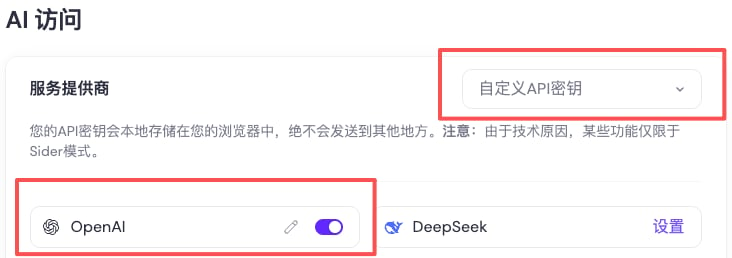
Choose a custom API key under AI Access and open the OpenAI settings.
Configure the connection
Save and run Check / Test. If manual models are supported, enter the complete ID, not just a display name.
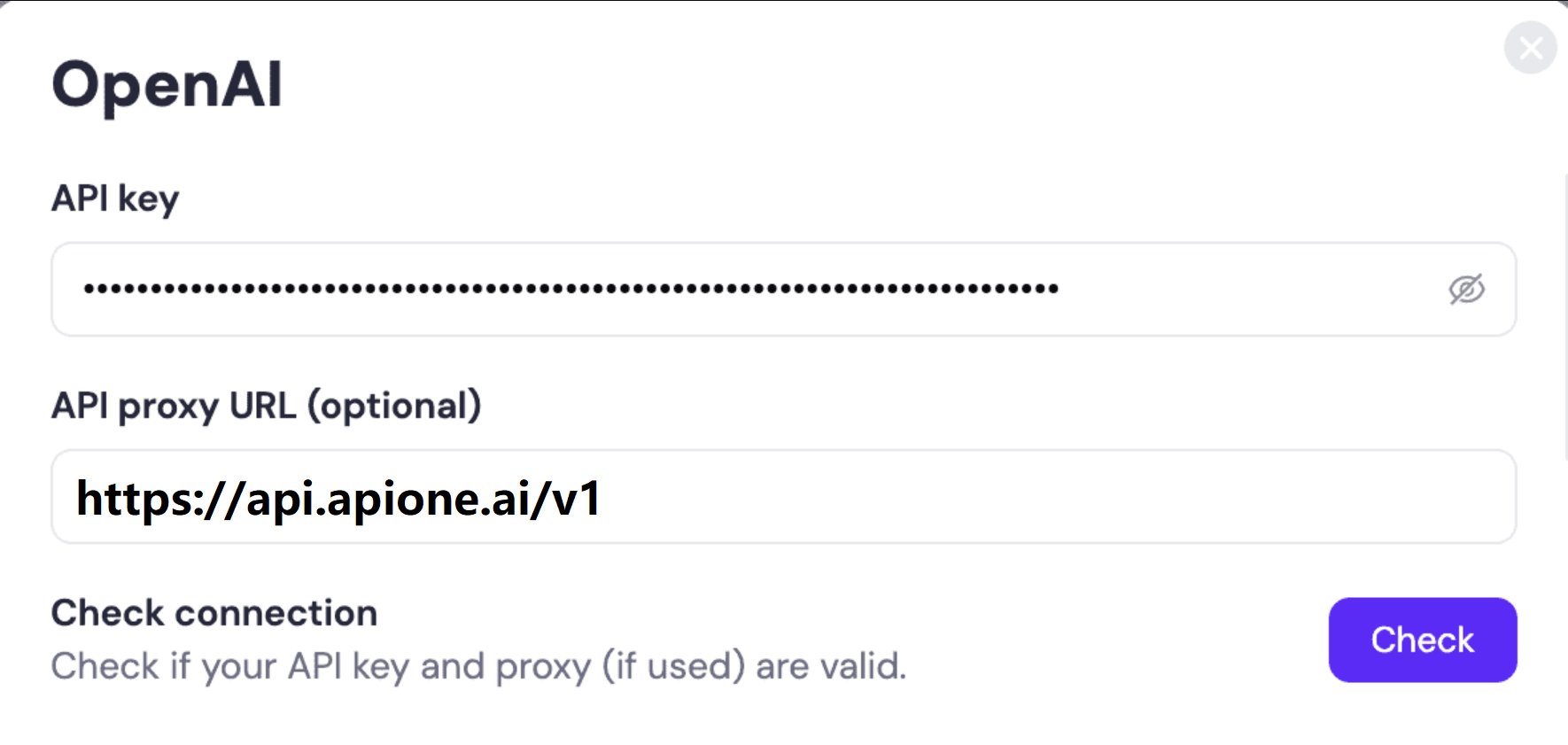
Sider API settings example. Fill in the address and key, then click Check.
Verify in the sidebar
Open Sider, select the configured model, and start a new conversation. Test a short question, then webpage summaries or selected-text translation. Confirm actual routing through APIONE request records.Troubleshoot
If the connection test passes but chat fails, confirm that the selected model belongs to the custom connection. Check the key for 401 and URL composition for 404. Sider credits, exclusive features, and predefined providers may use different connections.Integration directory · Choose a model · Troubleshooting