

Configure Cursor
- Open Settings → Models.
- Enable a custom key under OpenAI API Key and enter your APIONE key.
- Enable Override OpenAI Base URL and enter
https://api.apione.ai/v1. - Use Add Custom Model to add and enable an APIONE model ID.
- Select that model in the chat panel and start a new conversation.
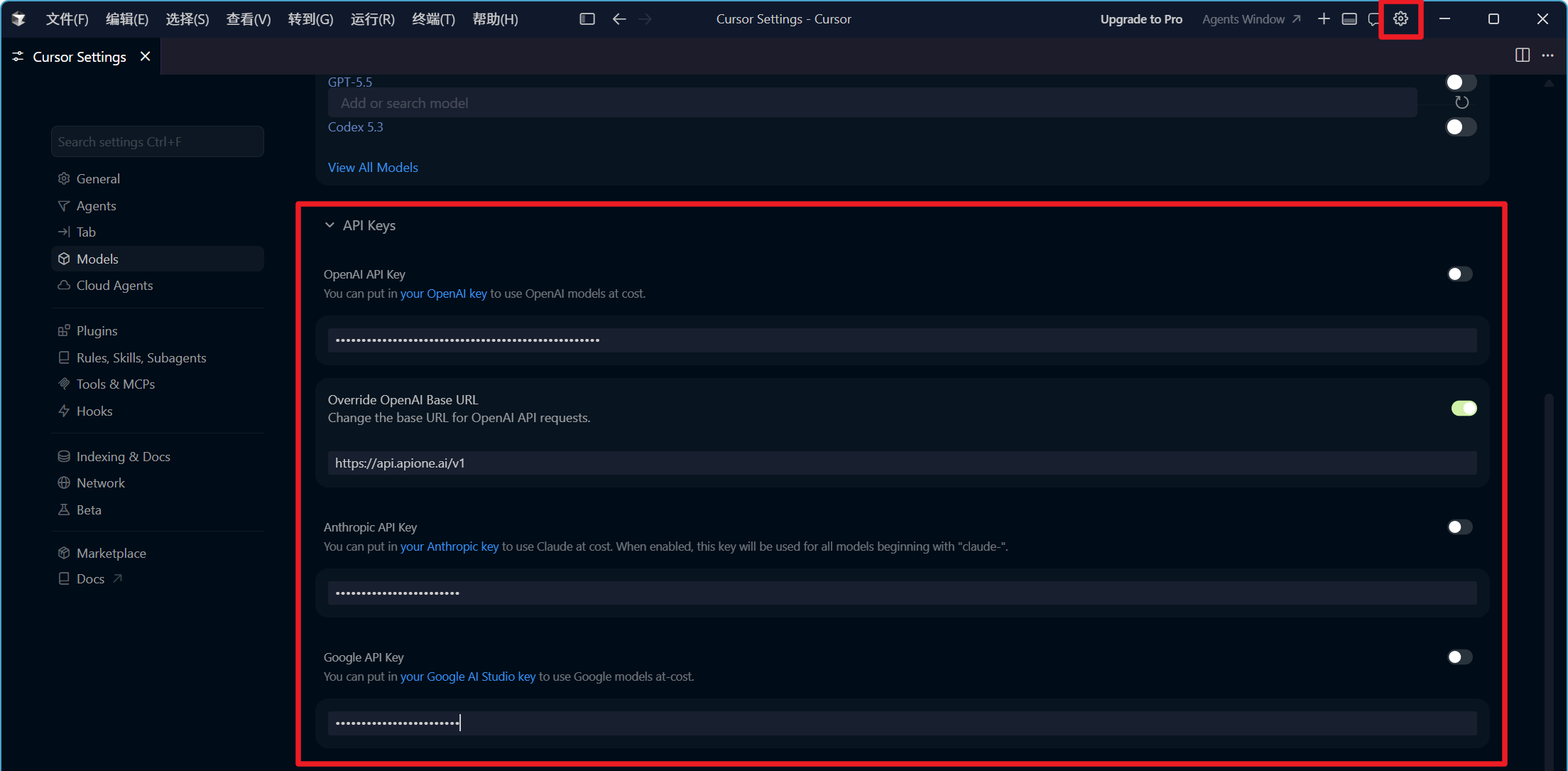
Cursor Models settings with the APIONE Base URL and a concealed key.
Verify actual requests
Test plain text before code explanations and tool calls. Confirm activity in APIONE. Passing the settings page’s Verify check does not guarantee compatibility with every chat mode. A custom key does not redirect all features, including Tab completion, to APIONE.Diagnose errors
- A plan upgrade prompt is governed by Cursor’s account policy.
- For a missing model, copy the ID again from the APIONE model directory.
- For messages, input, or tool errors, check whether the request uses Chat Completions or Responses and whether the model supports it.
- For URL errors, check for a duplicated /v1.
Integration directory · Choose a model · Troubleshooting