

Open the configuration
- Open Help → Troubleshooting → Enable Developer Mode and follow the client’s instructions.
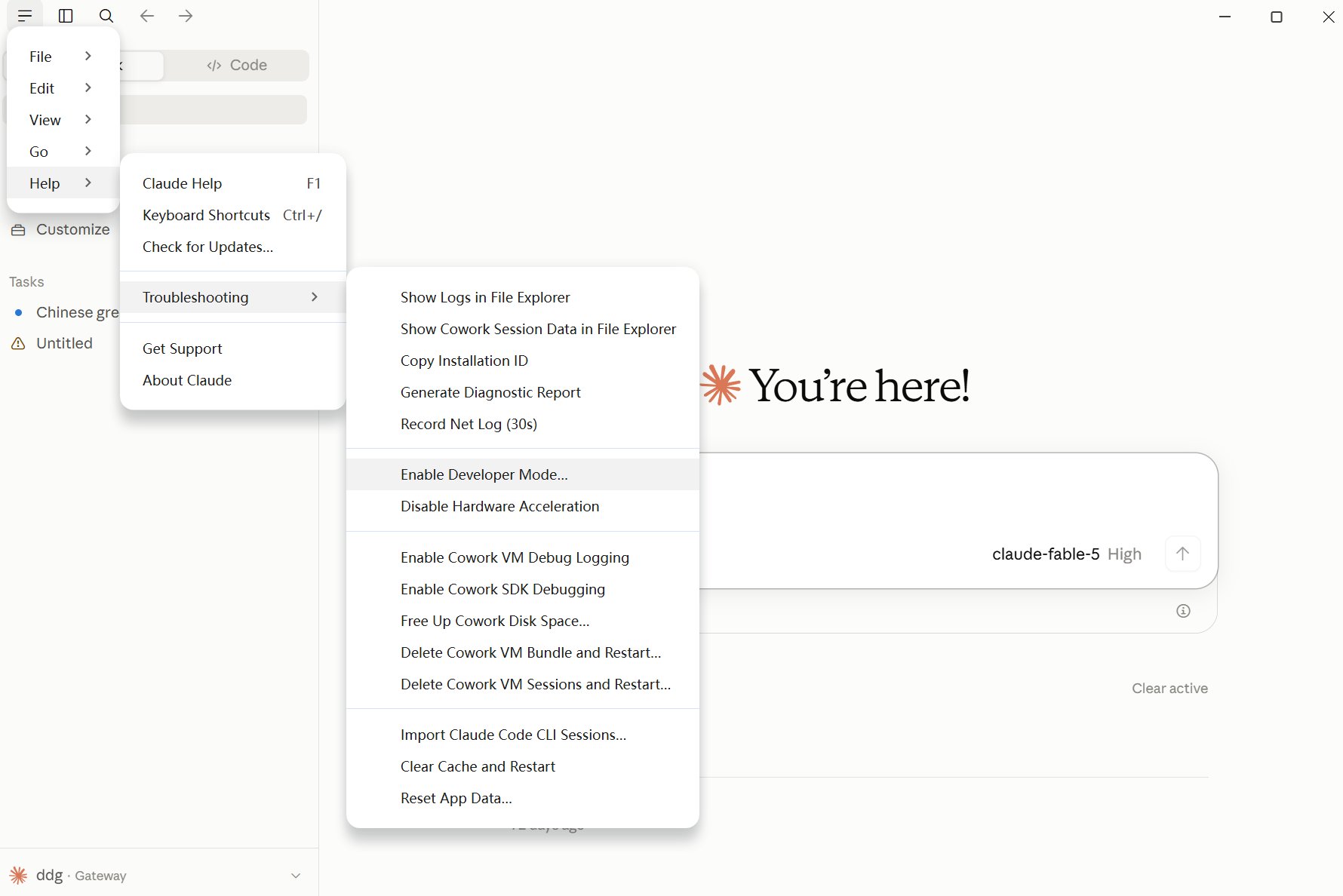
Enable developer mode from the Help menu.
- Open Developer → Configure Third-Party Inference.
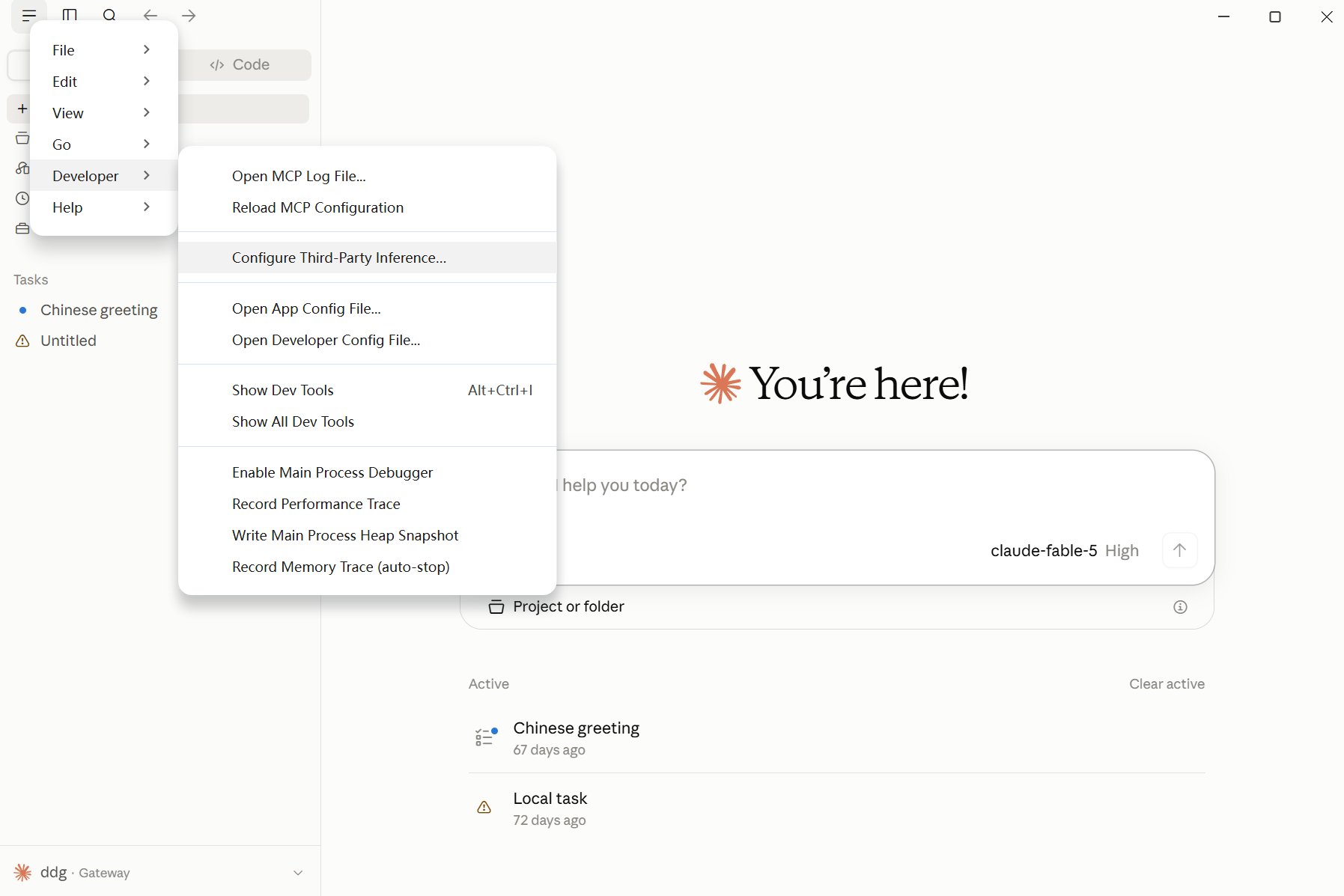
Open third-party inference settings from the Developer menu.
Enter APIONE settings
Select Gateway under Connection.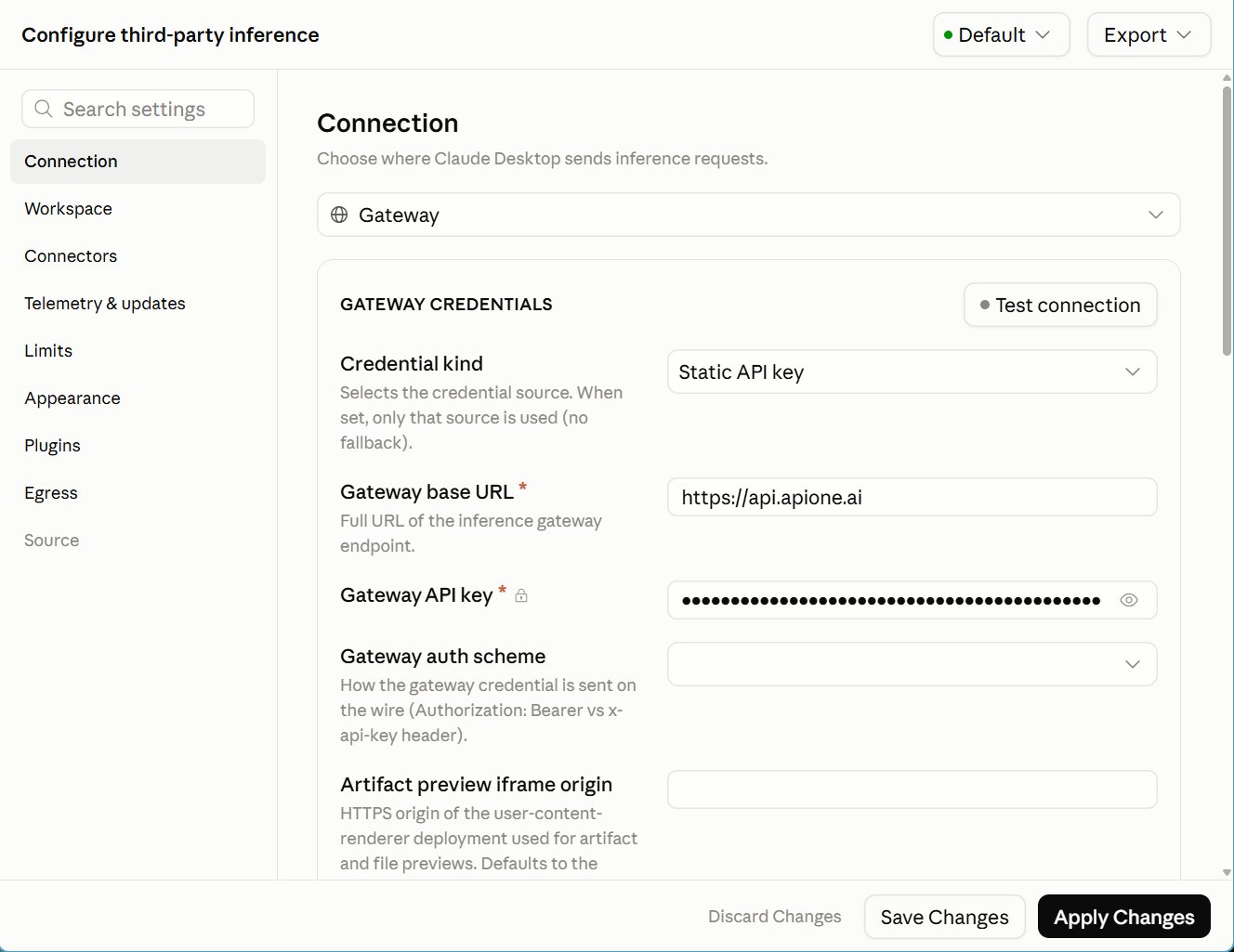
APIONE gateway configuration
https://api.apione.ai. The client appends /v1/models and /v1/messages; adding /v1 here duplicates the version path and can cause 404 errors.
Select bearer explicitly; the screenshot shows the field location, not a selected value. APIONE accepts Authorization: Bearer YOUR_APIONE_KEY for this gateway. Do not add a second key in custom headers. Click Test connection. If you see API token has expired or another authentication error, check the key’s enabled state, expiry, group permissions, and balance in APIONE. Inspect the actual HTTP status, error body, and request identifiers. The client message alone does not prove expiry. Replace the key only if the backend confirms it is expired, disabled, or revoked. Never include the full key in logs or support messages.
Add an actual APIONE model ID supporting Anthropic Messages in the model configuration.
Save, apply, and verify
- Click Save Changes.
- Click Apply Changes and follow the client instructions, including restarting if requested.
- Select the model and send a short text message.
- Check the APIONE request details for the model, final status, and usage.
- Test the file operations and tools required by Code or Cowork separately.
/v1/models response and use a manual Model List where supported. Use a single authentication method and avoid duplicate credentials in extra headers.
Integration directory · Choose a model · Troubleshooting