

Install and prepare
Install Claude Code using its official instructions and runclaude doctor. Prepare an APIONE API Key and a model supporting Messages and tool calls.
Terminal configuration
For macOS, Linux, or WSL:Verify the connection
Run/status in a new session, then ask the model to reply with OK only. Use APIONE request records to verify routing rather than the model’s self-reported identity. Use /model to switch models. For fixed tiers, configure ANTHROPIC_DEFAULT_HAIKU_MODEL, ANTHROPIC_DEFAULT_SONNET_MODEL, and ANTHROPIC_DEFAULT_OPUS_MODEL as needed.
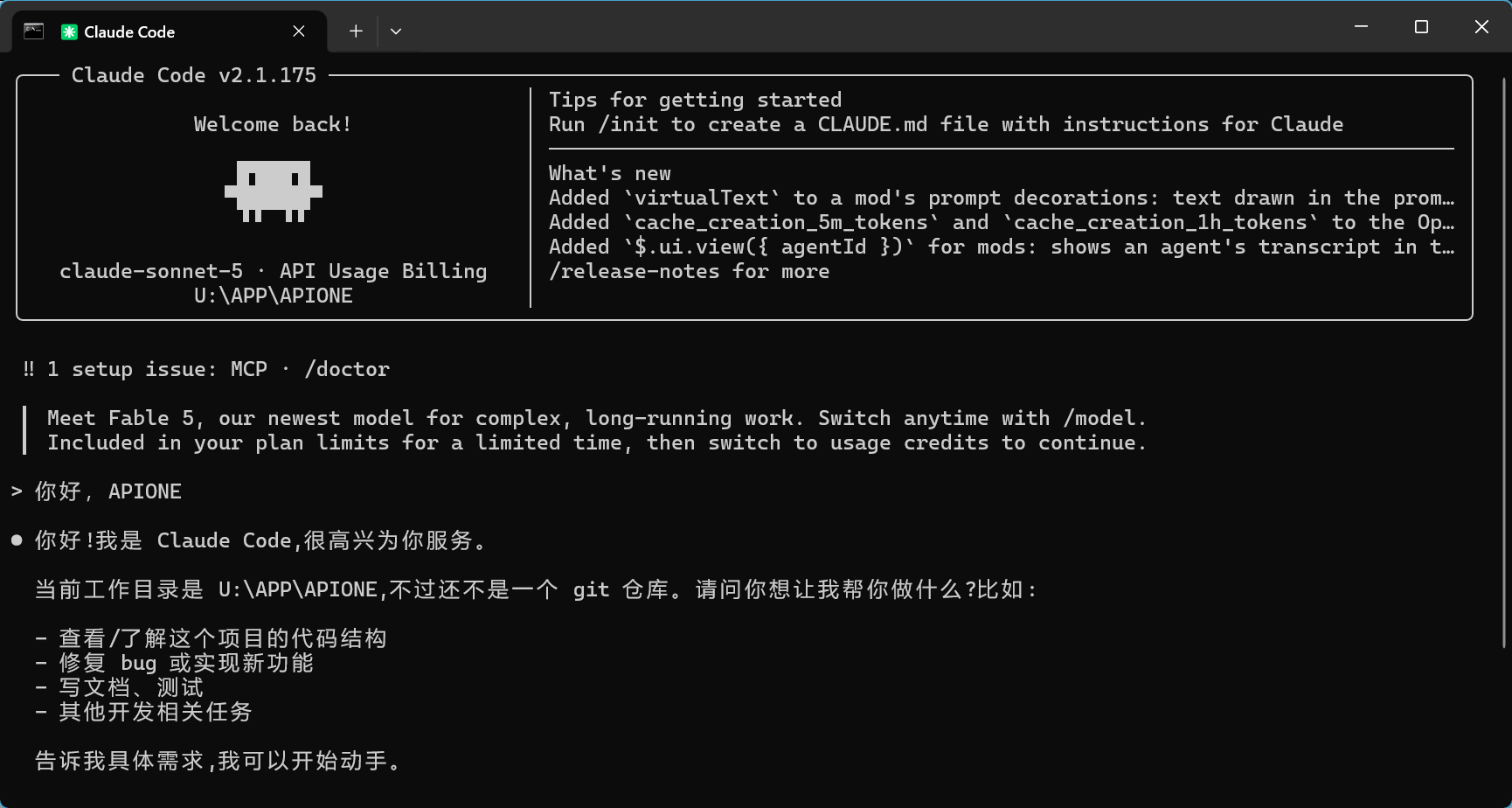
Claude Code receives a reply; verify the actual request in APIONE.
VS Code extension
1. Install the extension
Open the VS Code extension marketplace and install Claude Code for VS Code, published by Anthropic, extension IDanthropic.claude-code. Click Restart Extension if prompted.
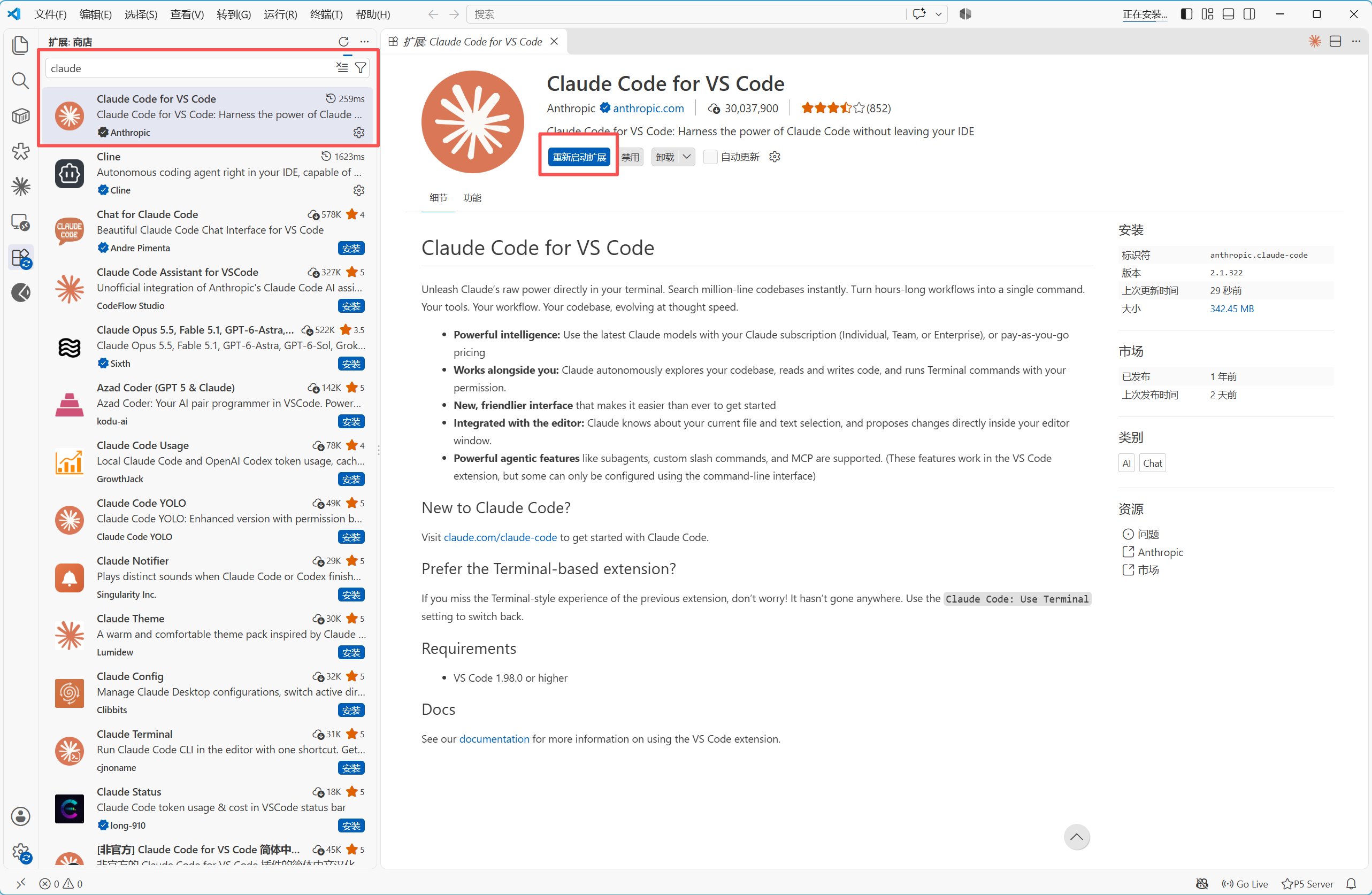
Install the official Claude Code extension published by Anthropic.
2. Open user settings
Open the extension settings, find Claude Code: Environment Variables, and click Edit in settings.json. You can also run Preferences: Open User Settings (JSON) fromCtrl+Shift+P.
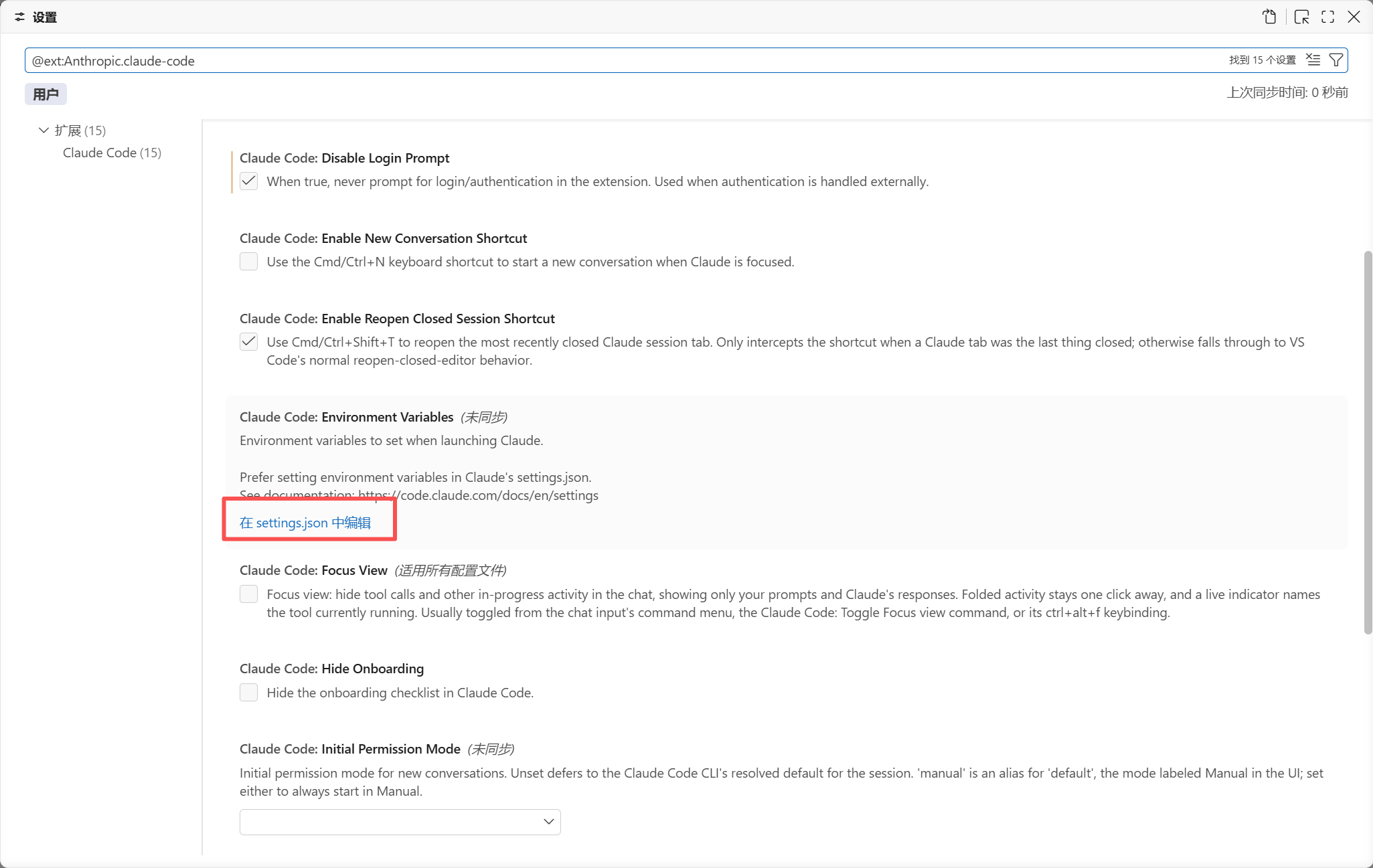
Open the user settings JSON from Environment Variables.
3. Enter your APIONE connection
Merge this into the outermost object of your user settings. IfclaudeCode.environmentVariables already exists, update the same array rather than adding a duplicate property.
Use an APIONE Key and an actual model ID supporting Messages and tool calls. Keep the Base URL at the root without
/v1. Retain your other user settings and keep real credentials out of project files.
4. Map model tiers, if needed
Append the tier mappings you need to the same environment-variable array:5. Set operation permissions, if needed
Initial Permission Mode controls how new sessions request permission for file changes and commands. Start withdefault and review the proposed actions. This setting does not select a model.
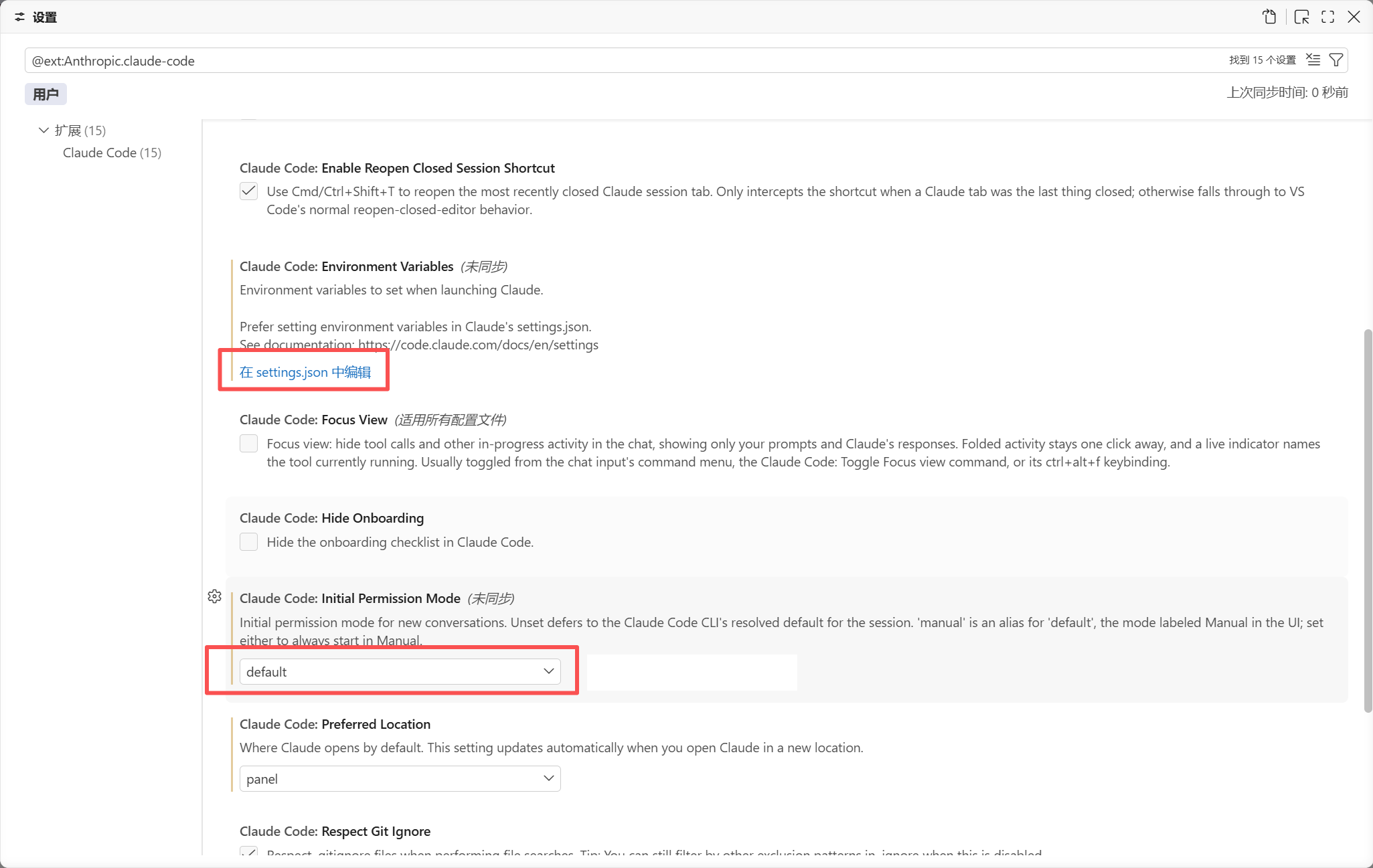
Initial Permission Mode controls permission prompts, not the model.
6. Reload and verify
- Save the settings and run Developer: Reload Window.
- Open a new Claude Code session and ask it to reply with OK only.
- Check the request time, model, final status, and usage in the APIONE console.
- After text succeeds, test reading files and making reviewed changes in a test project.
Troubleshoot
For 401, check credentials and duplicate authentication. For 404, check the address and model ID. For tool errors, check model capabilities and request fields. Verify context limits, reasoning parameters, and experimental features individually.Integration directory · Choose a model · Troubleshooting