

Create a connection
Sign in as an administrator and open Settings → Admin Settings → Connections. Add an OpenAI connection:
Save and refresh or sync the model list. If your version supports a model allowlist, enter only actual available IDs.
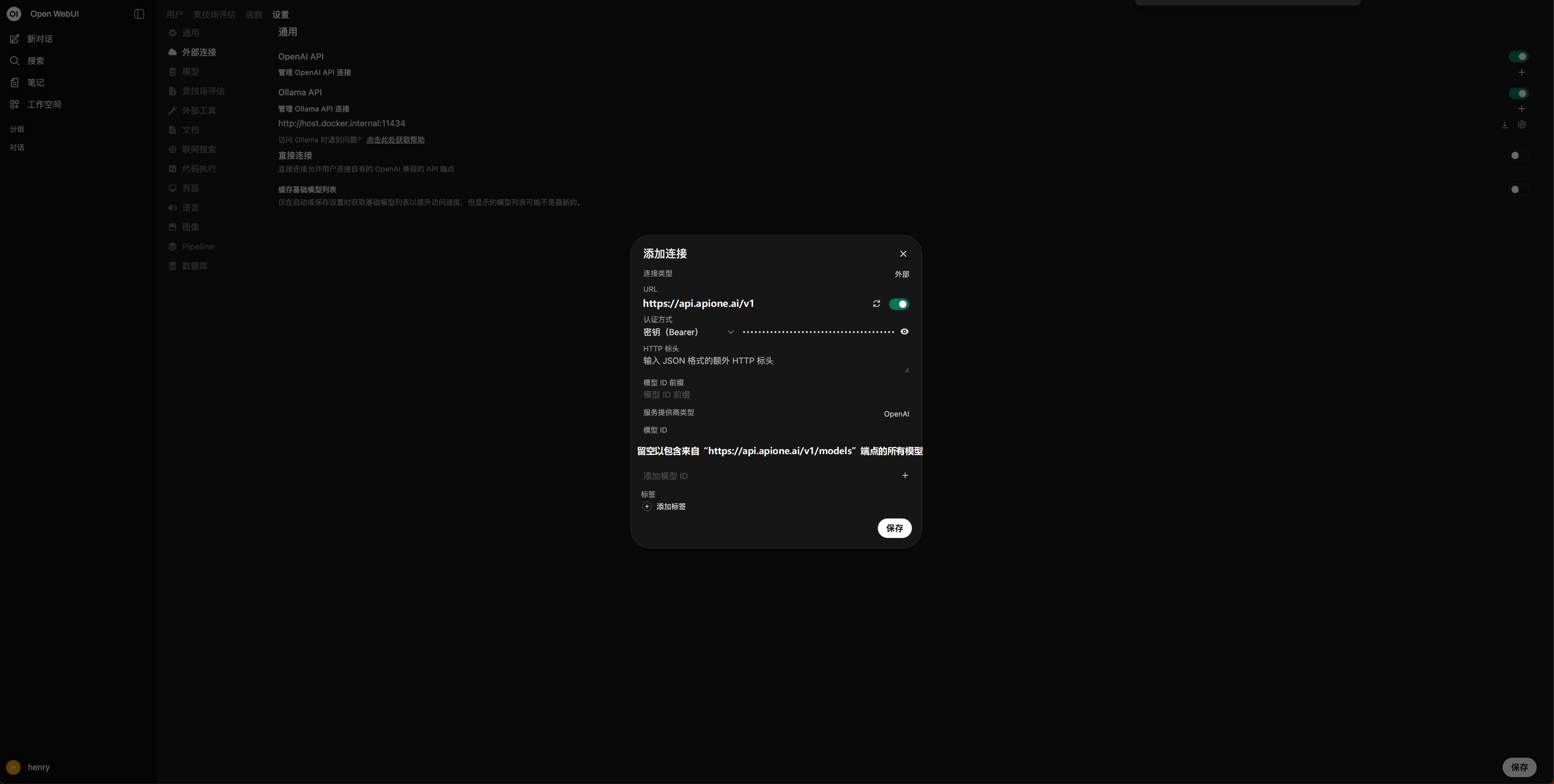
Add an APIONE connection in Open WebUI with Bearer authentication.
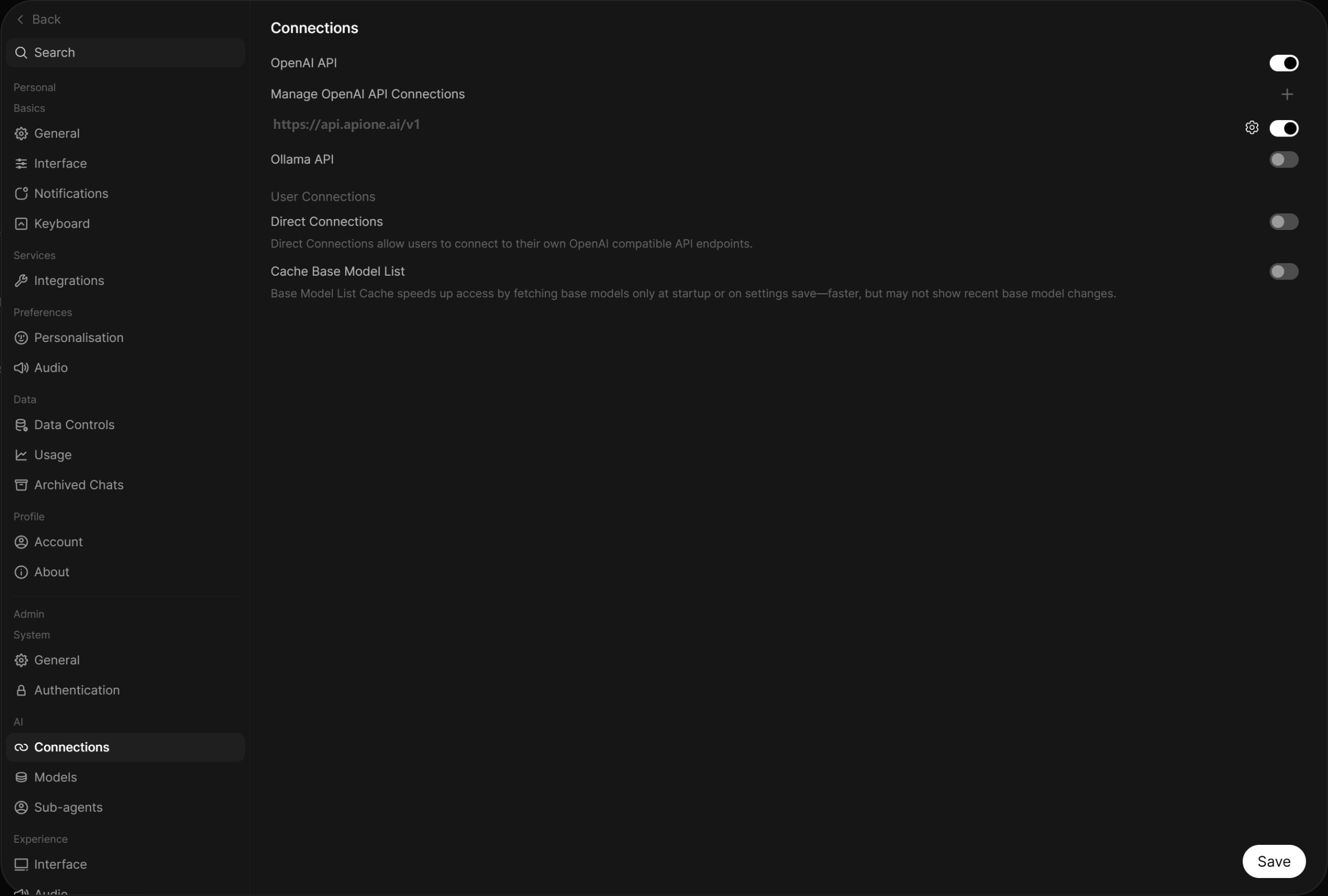
Confirm that the saved APIONE connection is enabled.
Verify
Start a new chat and select an APIONE model. Test a simple question, then streaming, images, and tools separately.Multiple users and server access
The server makes API calls. Ensure the Open WebUI server or container can reach api.apione.ai. Browser access to the website does not verify backend connectivity. Assign model access by role and manage the connection key’s budget in APIONE.Common problems
- Empty model list: check that the connection is enabled, the key has access, and /v1/models is reachable.
- Only administrators can see a model: check model visibility and user permissions.
- Timeouts: diagnose DNS, proxies, and firewalls from the service environment.
- Chat works but knowledge retrieval fails: configure an embedding model separately.
Integration directory · Choose a model · Troubleshooting