

X-Maxx-Request-ID response header when present. Errors may include error.message, error.type, error.code, and retryable, but interfaces do not all return the same structure or every field.
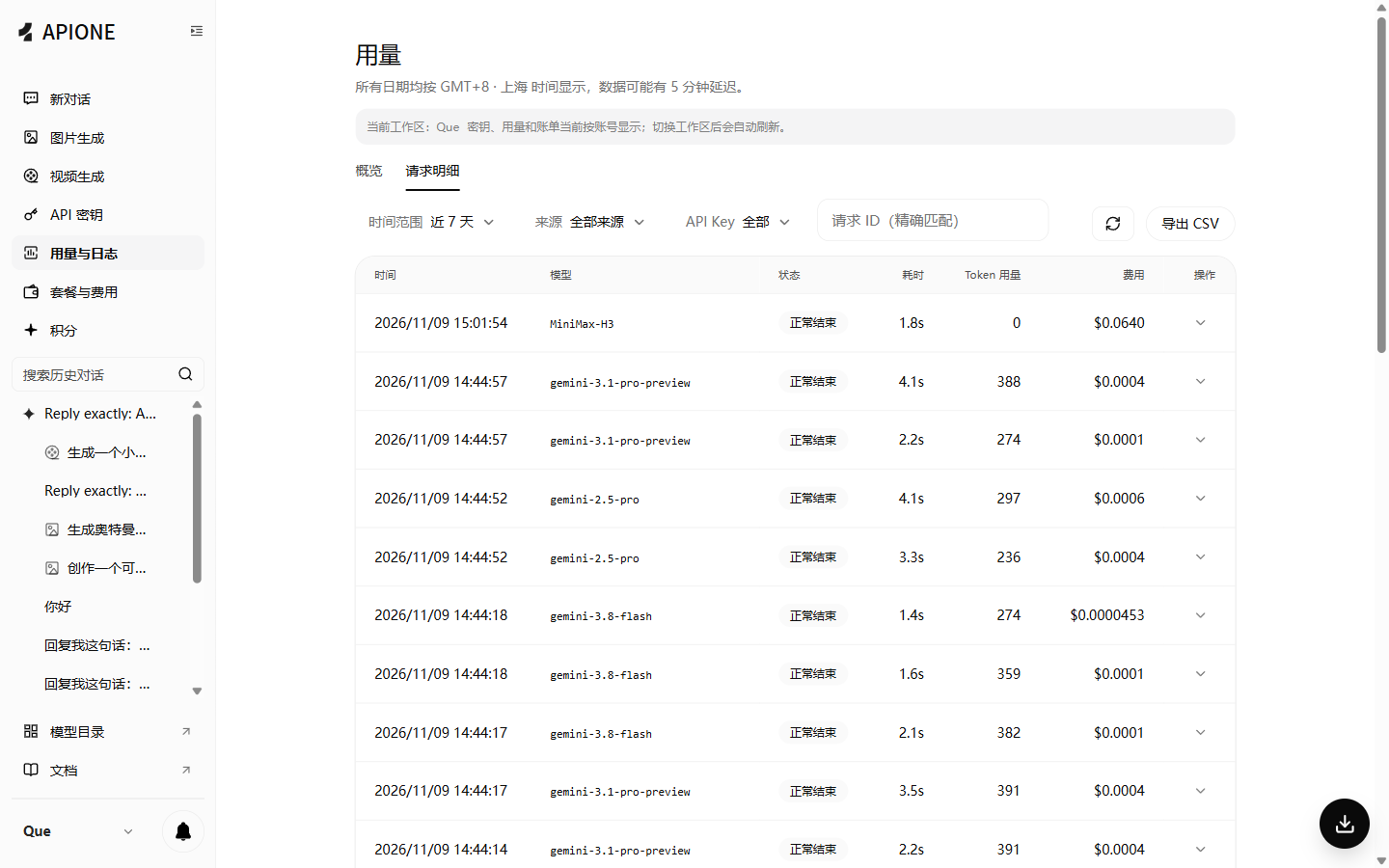
Locate failure records in request details first, then troubleshoot using status, latency, model, and request ID.
Handle the status code
This table follows APIONE’s error documentation. Read the actual response body. Model parameter queries may also return
{"error":"model not found"}, so do not rely on error.code alone.
Diagnose in order
- Confirm the HTTPS destination is
api.apione.aiand check URL composition against API addresses. - Send a minimal text request with the same protocol. Check the model ID, key permissions, and balance.
- Once it succeeds, restore optional parameters individually to find incompatible fields.
- If cURL works but the application fails, check environment variables, the SDK’s actual URL, duplicate
/v1, and proxy settings. See SDK setup.