

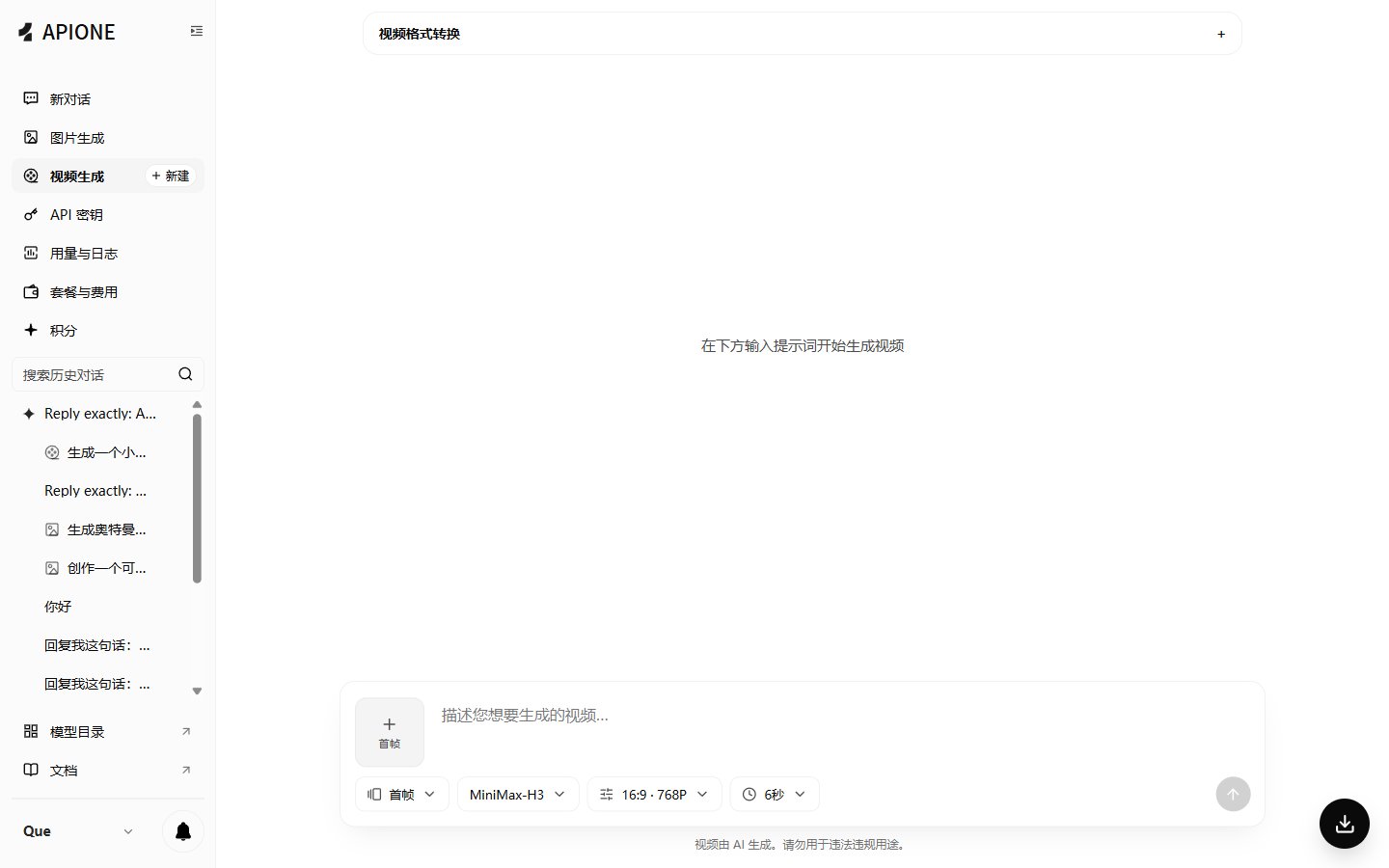
APIONE web video generation settings for generation mode, model, aspect ratio, resolution, and duration.
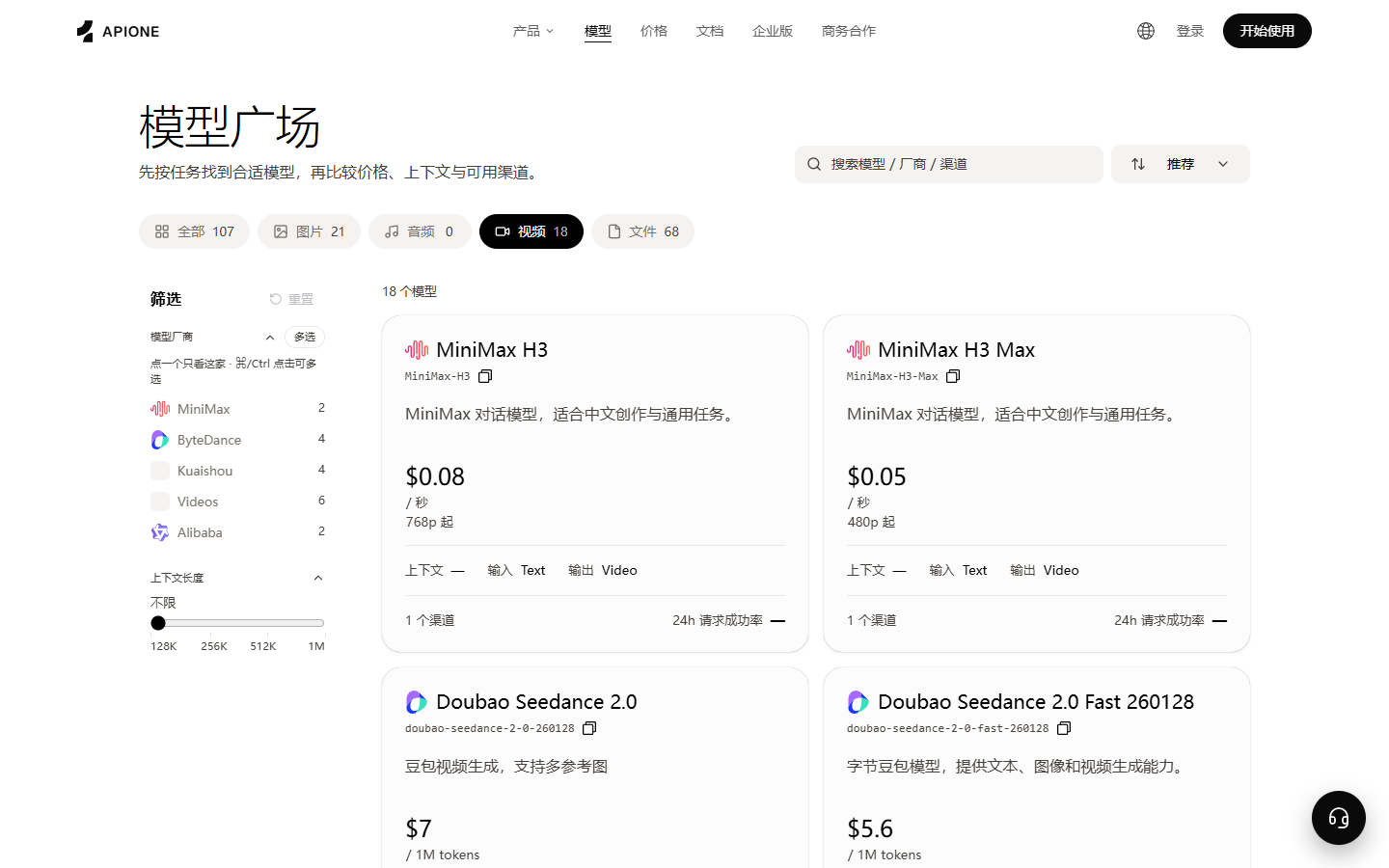
The video category in the model marketplace shows available video models, billing units, input/output types, and channels.
/v1/models with your current key and confirm that the list contains the target video model. Also verify the model’s create, status, and result fields. If no video model is listed, first check the key group and permissions in the console; do not use another gateway’s model ID or response format as a substitute.
Before running examples
Install Python 3, then install the dependency with the same interpreter that will run the example:python3, use python3 for both installation and execution. Windows users can use py -m pip install requests and py example.py. Activate your virtual environment first, if applicable.
Create a key on the API Keys page, copy a model ID that supports video generation from the available model list, then set the variables in the terminal where you will run the script. The uppercase values below are placeholders to replace.
- macOS / Linux
- Windows PowerShell
1. Query model parameters
2. Create a task
3. Query status
4. Get the result
After the task completes, read the result address or result object from the status response. Download and save it to your own storage; the validity period of result addresses depends on the actual response and model rules.Failure handling
- Parameter error: query model parameters, correct fields, and recreate.
- Content rejection: adjust prompt or reference material.
- Upstream failure: record task ID and request ID, retry a limited number of times after reasonable waiting.
- Status unchanged for a long time: stop high-frequency polling and contact support with the task ID.
Task lifecycle
Python create example
Node.js query example
Use Node.js 18 or higher (built-infetch). Find the actual task ID from the create response, set APIONE_VIDEO_TASK_ID, then query; it is different from the model ID and request trace ID. Use the same API Key that created the task when querying.
example.mjs. Run node example.mjs in the same terminal where this page’s environment variables are set. Node.js 18 or higher with built-in fetch requires no extra dependencies.
Polling strategy
The application should set fixed or gradually increasing intervals, and a maximum wait time. For example, wait a few seconds first, then reduce query frequency according to task duration. If the status response provides a suggested wait time, prefer that value. Polling code needs to handle: network failures, 429, 5xx, unknown statuses, user cancellation, page refresh, and service restart. Task IDs should be persisted; do not keep them only in browser memory.Result download
After the task completes, first check whether the result object exists, then download the file. After downloading, verify HTTP status, file size, media type, actual duration, and decodability. If MOV is needed but the model only returns MP4, transcode in your own processing pipeline rather than just changing the extension.Batch generation suggestions
- Validate with a single request first, then gradually increase concurrency.
- Use your own local ID and state machine for each business task.
- Limit account-level concurrency to avoid media tasks crowding out text requests.
- Record the model, parameter summary, cost, and result path for each task.
- Classify failed tasks: parameters, content moderation, upstream, timeout, download failure.