

POST https://api.apione.ai/v1/images/generations to create images.
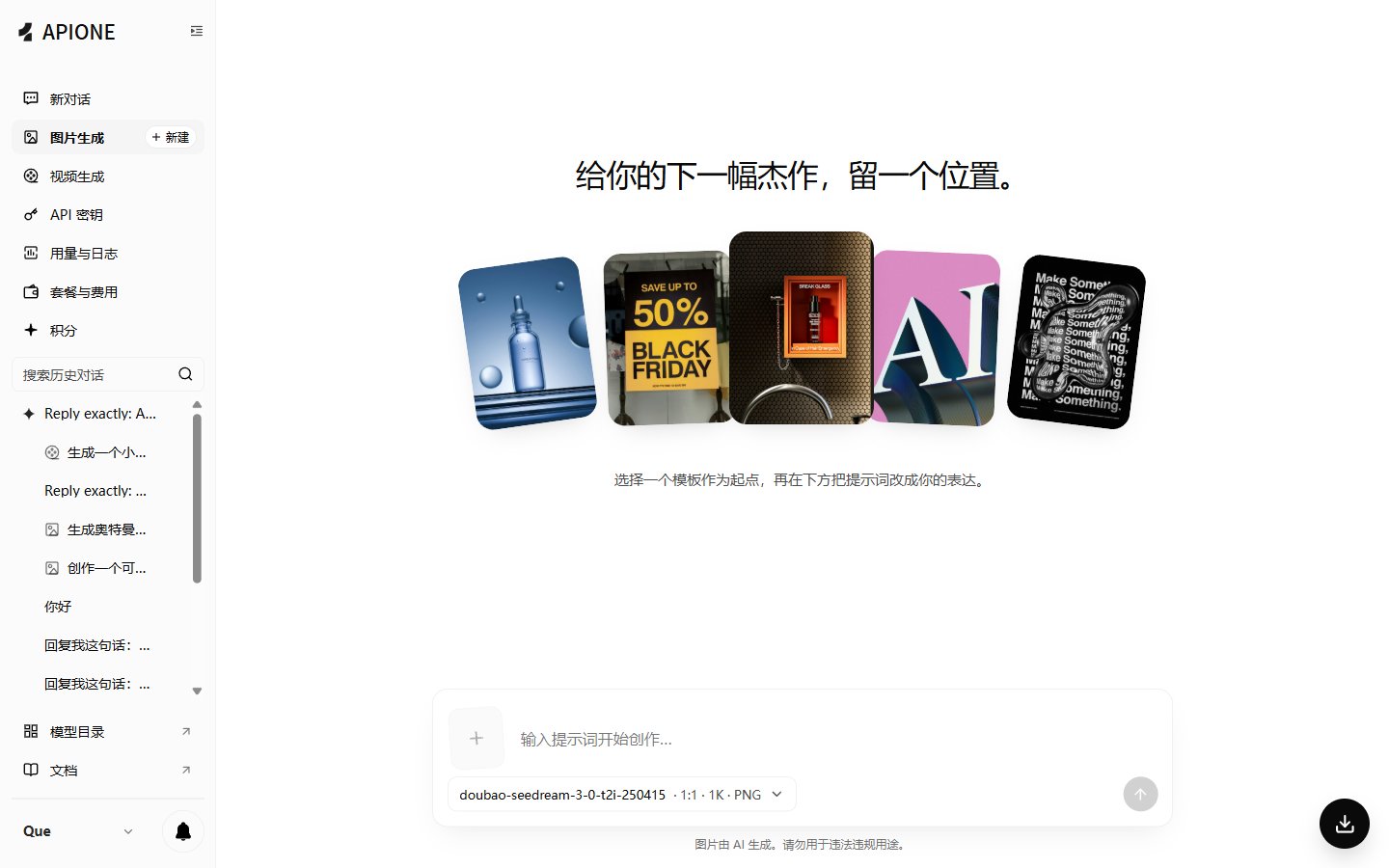
APIONE web image generation provides templates, prompts, model, aspect ratio, resolution, and output format options.
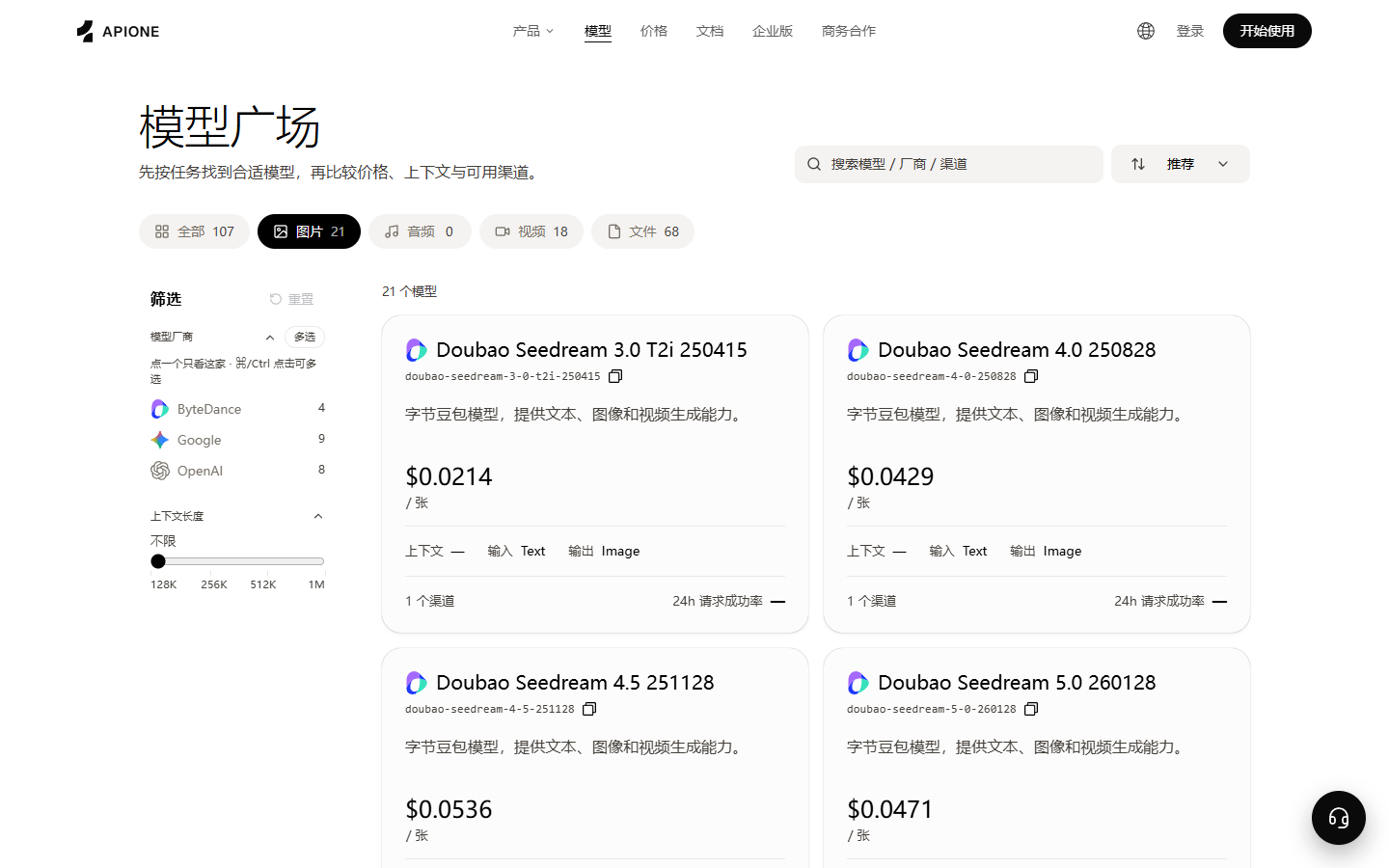
The image category in the model marketplace lets you compare image models, per-image price, input/output types, and available channels.
Before running examples
Install Python 3, then install the dependency with the same interpreter that will run the example:python3, use python3 for both installation and execution. Windows users can use py -m pip install requests and py example.py. Activate your virtual environment first, if applicable.
Create a key on the API Keys page, copy a model ID that supports image generation from the available model list, then set the variables in the terminal where you will run the script. The uppercase values below are placeholders to replace.
- macOS / Linux
- Windows PowerShell
Query model and parameters
First query image models available to the current key, then check the target model’s parameters:Minimal request
Common issues
Images are typically charged per image, per request, or by model rules. Final charges are based on console request details.
How to confirm request fields
model and prompt are the core fields in a minimal request. Whether size, count, quality, style, background, seed, negative prompt, and return format are available depends on the target model. After calling the parameters interface, check in this order:
- Whether the field exists.
- Whether the type is string, number, boolean, or array.
- Optional enums and defaults.
- Whether it affects the per-request charge.
- Whether it is mutually exclusive with other fields.
Python example
Node.js example
Use Node.js 18 or higher (built-infetch), and run in the same terminal where the environment variables above are set.
Save the JavaScript below as example.mjs. Run node example.mjs in the same terminal where this page’s environment variables are set. Node.js 18 or higher with built-in fetch requires no extra dependencies.
Handling generation results
First print a complete response to confirm the structure, then write fixed parsing logic. The return may be a result URL, Base64, or a model-defined object. If you receive a temporary URL, download it to your own storage promptly, and record file type, size, task time, and request ID. Do not judge image availability by HTTP 200 alone. Also verify:- Whether the result array is empty.
- Whether the URL is accessible and Base64 is decodable.
- Whether the actual image format matches the extension.
- Whether width, height, transparency channel, and color space meet business requirements.
- Whether content moderation or revision fields need to be shown to the user.
Pre-production test cases
Billing and retries
Media models may charge per image, per request, or by parameter tier. Check model parameters and console prices before batch runs. After a network interruption, retain the request ID; do not infinitely resend the same creation request while the result is unknown.End-to-end example: generate and save a PNG
On November 14, 2026, a minimal APIONE request using the availablegpt-image-2 model returned HTTP 200 and data[0].b64_json. No size or quality was sent. This response reported size=1254x1254, quality=low, and output_format=png. These are observations from one request, not fixed defaults or guarantees for all groups.
Set APIONE_API_KEY and install requests as described above. Confirm that your current key still has access to this model. Save as generate_image.py and run python generate_image.py. The script sends one create request without automatic retries and saves the decoded file in the current directory.
Actual response with image data omitted
When parameter metadata is empty
HTTP 200 withparams: [], request: {}, or an empty billingMode means those details were not declared in this response. It does not prove that a capability is unsupported, permit arbitrary parameters, or indicate a free call. The usage, request, second, and image entries in chargeModes are listed mode names, not proof that a model bills all four ways.
- Check the APIONE model details and current key group for protocols and prices.
- Use confirmed model-specific instructions for size, quality, reference images, masks, and other fields; do not copy enums from another model.
- Without confirmed parameter instructions, verify the minimal request first and avoid optional fields or batch jobs.
- Contact support with the model ID, endpoint, time, and actual request identifiers. Do not send the full key.